UP Scholarship OTR 2026-27: Registration and Apply Online
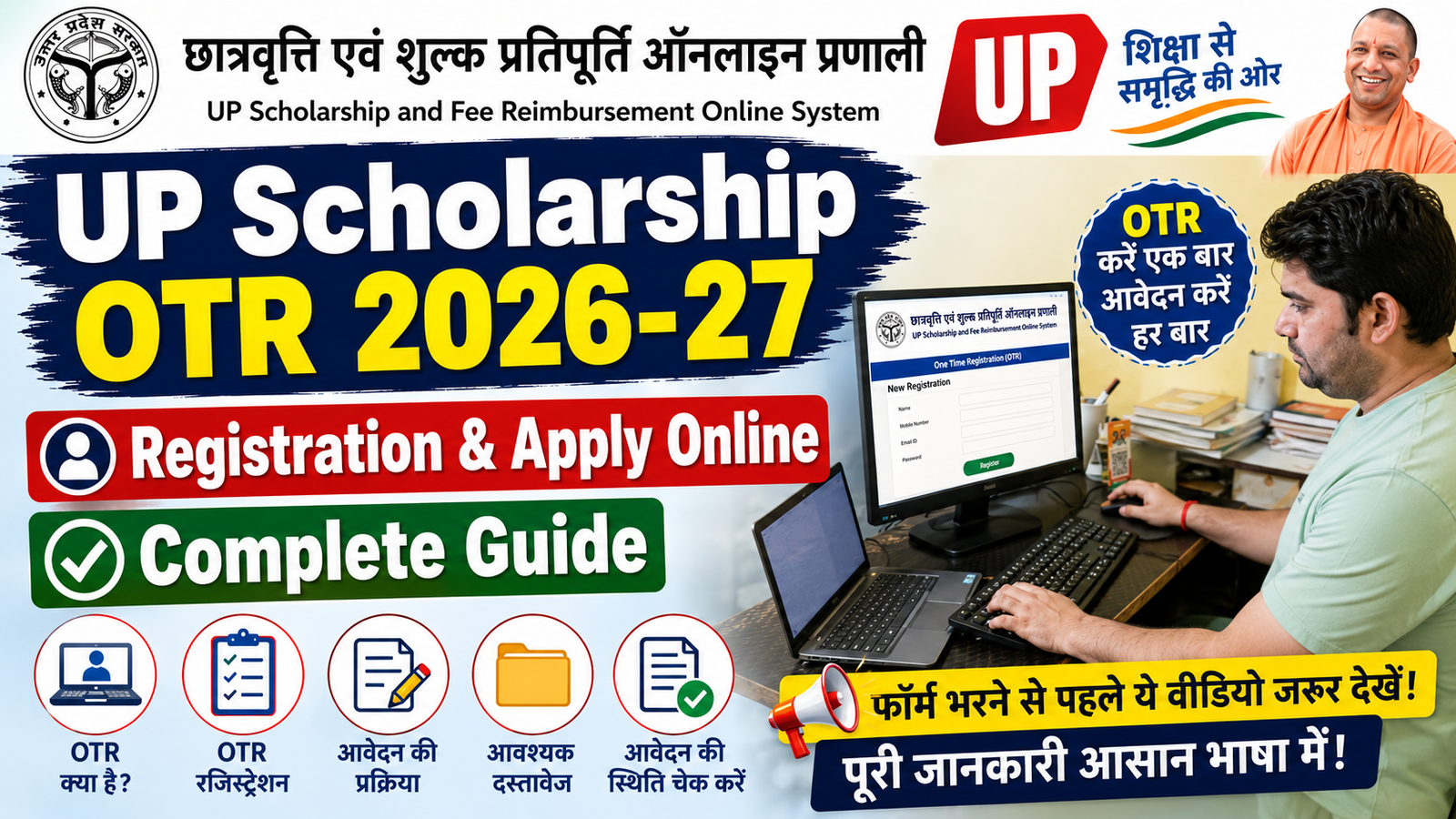
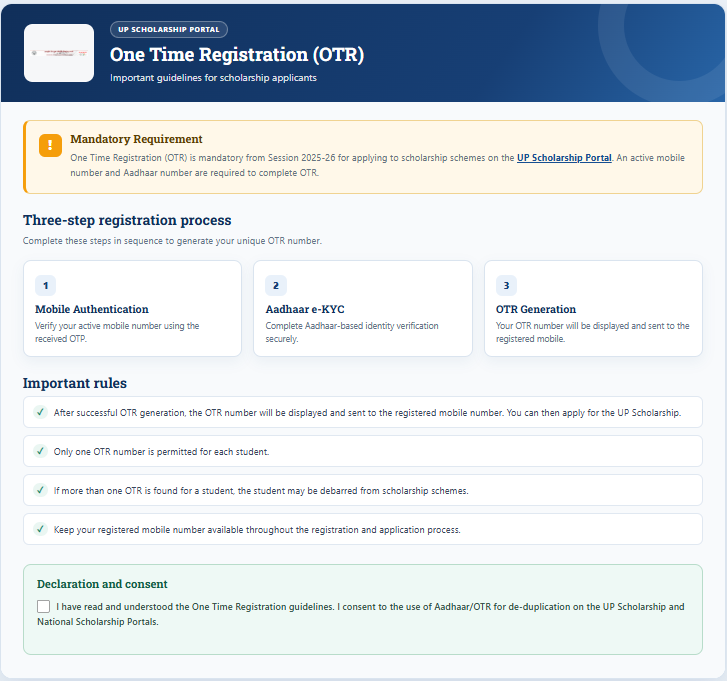
UP Scholarship OTR 2026-27 scholarship application process का एक महत्वपूर्ण हिस्सा है। OTR का मतलब One Time Registration है। विद्यार्थियों को scholarship application शुरू करने से पहले OTR से संबंधित registration प्रक्रिया पूरी करनी होती है, यदि current session में यह उनके application category के लिए required है।
इस guide में हम आसान भाषा में जानेंगे कि UP Scholarship OTR क्या है, OTR के लिए क्या चाहिए, registration कैसे करें, किन बातों का ध्यान रखें और OTR के बाद scholarship form कैसे भरें।
UP Scholarship OTR क्या है?
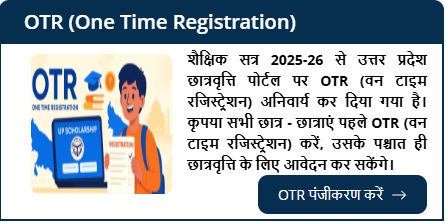
OTR (One Time Registration) एक registration process है, जिसमें student की basic information को scholarship system में register किया जाता है।
OTR का उद्देश्य student की पहचान और basic details को एक बार register करके आगे scholarship application process को आसान बनाना है।
OTR पूरा करने के बाद student अपनी eligibility के अनुसार Pre Matric, Post Matric या Dashmottar Scholarship के लिए आगे की application process कर सकता है।
Important: OTR और Scholarship Application एक ही चीज नहीं हैं। OTR registration के बाद eligible student को संबंधित scholarship application भी पूरा करना पड़ सकता है।
UP Scholarship OTR 2026-27 के लिए क्या चाहिए?
OTR/registration शुरू करने से पहले आवश्यक information और documents तैयार रखें।
जानकारी / Document
आवश्यकता
Aadhaar Card
पहचान verification के लिए
Aadhaar से जुड़ा Mobile Number
OTP/verification के लिए, जहाँ लागू हो
Student Name
सही spelling में
Date of Birth
Aadhaar/official record के अनुसार
Mobile Number
Communication के लिए
Email ID
यदि मांगी जाए
Educational Details
Scholarship application के लिए
अन्य जानकारी
Portal के instructions के अनुसार
ध्यान दें: सभी applicants के लिए requirements एक जैसी होना जरूरी नहीं है। Registration के समय official portal पर दिखाई गई requirements को final मानें।
UP Scholarship OTR 2026-27 Registration कैसे करें?
Step 1: Official Scholarship Portal खोलें
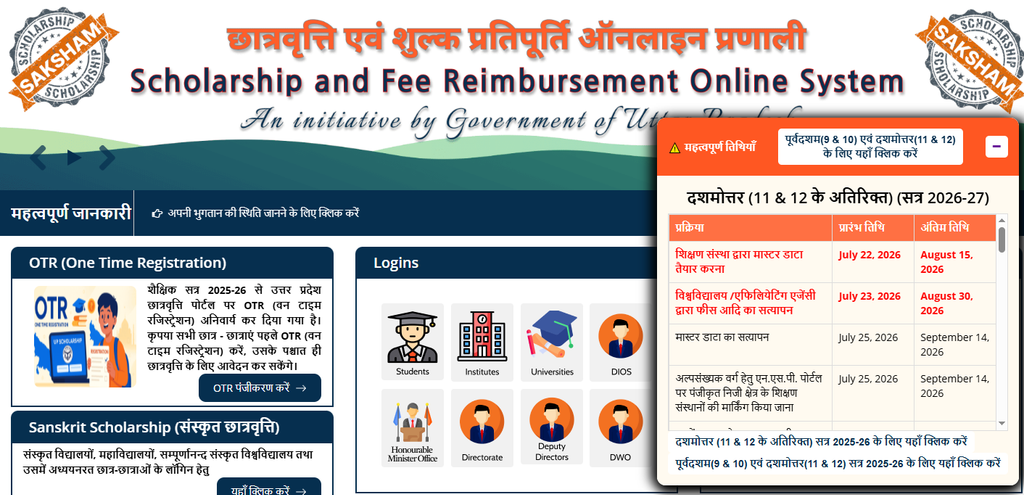
सबसे पहले उत्तर प्रदेश Scholarship and Fee Reimbursement Online System की official website खोलें।
Portal पर उपलब्ध OTR/Registration से संबंधित option को खोलें।
अगर current session में अलग registration interface दिया गया है, तो उसी official portal के निर्देशों का पालन करें।
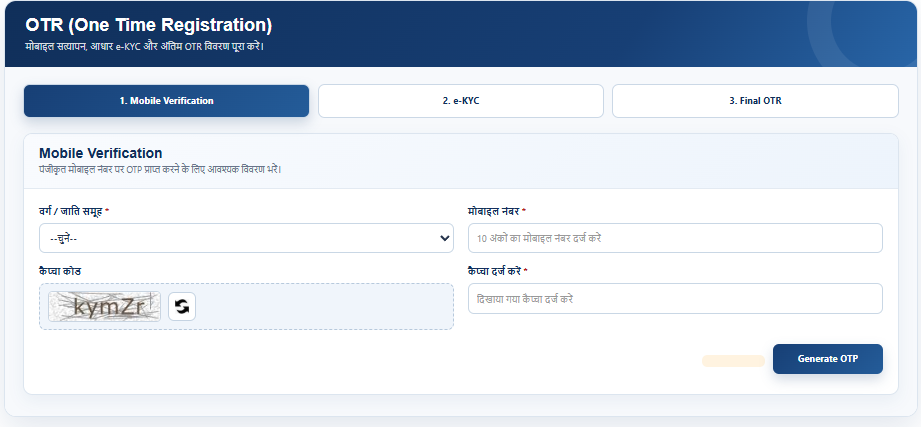
Step 3: अपनी Basic Information भरें
नाम, date of birth और अन्य मांगी गई personal details carefully भरें।
नाम और Date of Birth में spelling/number की गलती न करें।
Step 4: Aadhaar/Identity Verification करें
Portal पर मांगी गई identity information दर्ज करें और उपलब्ध verification process पूरा करें।
जहाँ OTP verification लागू हो, वहाँ registered mobile number पर प्राप्त OTP दर्ज करें।
Step 5: Mobile Number Verify करें
OTP प्राप्त होने पर उसे निर्धारित स्थान पर enter करें और verification पूरा करें।
Step 6: Registration Complete करें
सभी required information verify करने के बाद registration process complete करें।
Registration से संबंधित reference/number/details दिखाई दें तो उसे सुरक्षित रखें।
OTR Registration के बाद क्या करें?
OTR complete होने के बाद आपका काम केवल registration तक समाप्त नहीं होता।
इसके बाद:
अपनी scholarship category check करें।
Pre Matric / Post Matric / Dashmottar में सही category चुनें।
Fresh या Renewal application की स्थिति check करें।
Scholarship application form भरें।
Educational details दर्ज करें।
Required documents/details submit करें।
Final application carefully verify करें।
Application submit करें।
Application number/receipt सुरक्षित रखें।
Fresh और Renewal Student में अंतर
Student Type
सही Application
पहली बार scholarship application
Fresh
पहले scholarship प्राप्त कर चुके eligible student
Renewal
Renewal application भरने वाले students को अपनी previous scholarship/application details जरूर check करनी चाहिए।
OTR करते समय किन बातों का ध्यान रखें?
नाम सही रखें
Aadhaar और official educational documents में नाम की spelling को ध्यान से check करें।
Date of Birth verify करें
DOB में एक छोटी गलती भी आगे application verification में समस्या पैदा कर सकती है।
Mobile Number सही दें
OTP और important communication के लिए सही mobile number का उपयोग करें।
Duplicate Registration से बचें
एक ही student के लिए unnecessary multiple registration न करें।
Submit करने से पहले Preview देखें
Final submission से पहले सभी details दोबारा check करें।
UP Scholarship OTR में Common Problems
OTR या registration करते समय कुछ सामान्य समस्याएं आ सकती हैं:
OTP नहीं आना
Aadhaar verification problem
गलत personal details
Mobile number verification issue
Server busy होना
Portal पर temporary technical error
Previous details में mismatch
अगर portal temporarily काम नहीं कर रहा है, तो कुछ समय बाद दोबारा कोशिश करें। लगातार समस्या होने पर official portal पर उपलब्ध help/contact information देखें।
OTR और Scholarship Form में Difference
यह दोनों अलग-अलग processes हैं।
OTR
Scholarship Application
One Time Registration
Actual scholarship application
Basic registration process
Scholarship-specific details
Student की basic information
Course, institution, fee आदि की जानकारी
Registration/reference details
Application/registration details
Application से पहले required हो सकता है
Scholarship benefit के लिए आवश्यक application
इसलिए केवल OTR complete करना scholarship मिलने की guarantee नहीं है।
Note: Official portal पर menu और direct application links समय के अनुसार बदल सकते हैं। इसलिए किसी third-party website के बजाय official scholarship portal से current OTR/application link खोलें।
UP Scholarship OTR के बाद Scholarship Form कैसे भरें?
OTR/registration complete करने के बाद student को अपनी scholarship category के अनुसार application process आगे बढ़ाना चाहिए।
Pre Matric
Class 9–10 के eligible students के लिए लागू category, यदि eligibility पूरी होती है।
Post Matric
Class 11–12 तथा निर्धारित post-matric courses के eligible students के लिए।
Dashmottar
Graduation, Post Graduation और अन्य eligible higher education courses के लिए।
अपनी class/course के अनुसार सही category चुनना बहुत जरूरी है।
SNCEC Digital Seva से OTR में सहायता
अगर आपको UP Scholarship OTR 2026-27 Registration, OTP verification, scholarship application, Fresh/Renewal form या Application Status check करने में परेशानी हो रही है, तो SNCEC Digital Seva से online process में सहायता प्राप्त कर सकते हैं।
आवेदन के समय अपने original documents साथ रखें और form में हमेशा सही information दर्ज करें।
Frequently Asked Questions
What is UP Scholarship OTR?
UP Scholarship OTR यानी One Time Registration student की basic information को scholarship system में register करने की प्रक्रिया है।
Is OTR the same as the scholarship application?
नहीं। OTR registration और actual scholarship application अलग processes हो सकते हैं।
What documents are required for OTR?
Aadhaar और basic personal information सहित portal पर मांगी गई details आवश्यक हो सकती हैं। Exact requirements official portal पर check करें।
Can I apply for scholarship after completing OTR?
हाँ, यदि आप scholarship की eligibility पूरी करते हैं, तो OTR के बाद संबंधित scholarship application process पूरा करना होगा।
Can a student register multiple times?
Duplicate registration से बचना चाहिए। पहले से registration होने पर उपलब्ध login/reference details का उपयोग करें।
What should I do if OTP is not received?
Mobile network और registered mobile number check करें, थोड़ी देर बाद resend OTP try करें और जरूरत पड़ने पर official portal की help information देखें।
Can Fresh students use OTR?
यदि current scholarship process में OTR required है, तो eligible Fresh students को registration process पूरा करना होगा।
Is OTR enough to receive scholarship?
नहीं। OTR केवल registration process है। Scholarship के लिए applicable application, verification और अन्य eligibility requirements पूरी करनी होती हैं।
Conclusion
UP Scholarship OTR 2026-27 scholarship application process का महत्वपूर्ण हिस्सा है। Registration करते समय student को अपना नाम, Date of Birth, Aadhaar और mobile details carefully verify करनी चाहिए।
OTR complete होने के बाद अपनी Pre Matric, Post Matric या Dashmottar category के अनुसार scholarship application पूरा करें और final submission के बाद application details सुरक्षित रखें।
Latest OTR instructions और application dates के लिए हमेशा official UP Scholarship Portal को ही प्राथमिक source मानें।